> ## Documentation Index
> Fetch the complete documentation index at: https://docs.dojoapps.co.uk/llms.txt
> Use this file to discover all available pages before exploring further.
# Enabling New Shipping Options
> How to turn on transit times, free shipping thresholds, and grouped rates for your store.
New Shipping Options is a feature that unlocks three new capabilities for your shipping rates: [transit times](/new-shipping-options/new-columns#transit-time-min-days-and-transit-time-max-days), [free shipping thresholds](/new-shipping-options/new-columns#free-min-order-amount), and [grouped (tiered) rates](/new-shipping-options/grouped-rates). It is turned off by default, and existing rates are unaffected until you enable it.
## Before you enable
Most stores can enable New Shipping Options straight away. If your store uses an older version of Shopify's shipping setup, the toggle will appear greyed out with a link to Shopify's upgrade instructions — follow that link first, then come back here to enable the feature.
## How to enable
Log in to your Shopify Admin and navigate to **Apps** > **MatrixRates Import/Export**. Click **Settings** in the navigation.
Find the **New Shipping Options** toggle and click it to enable the feature.
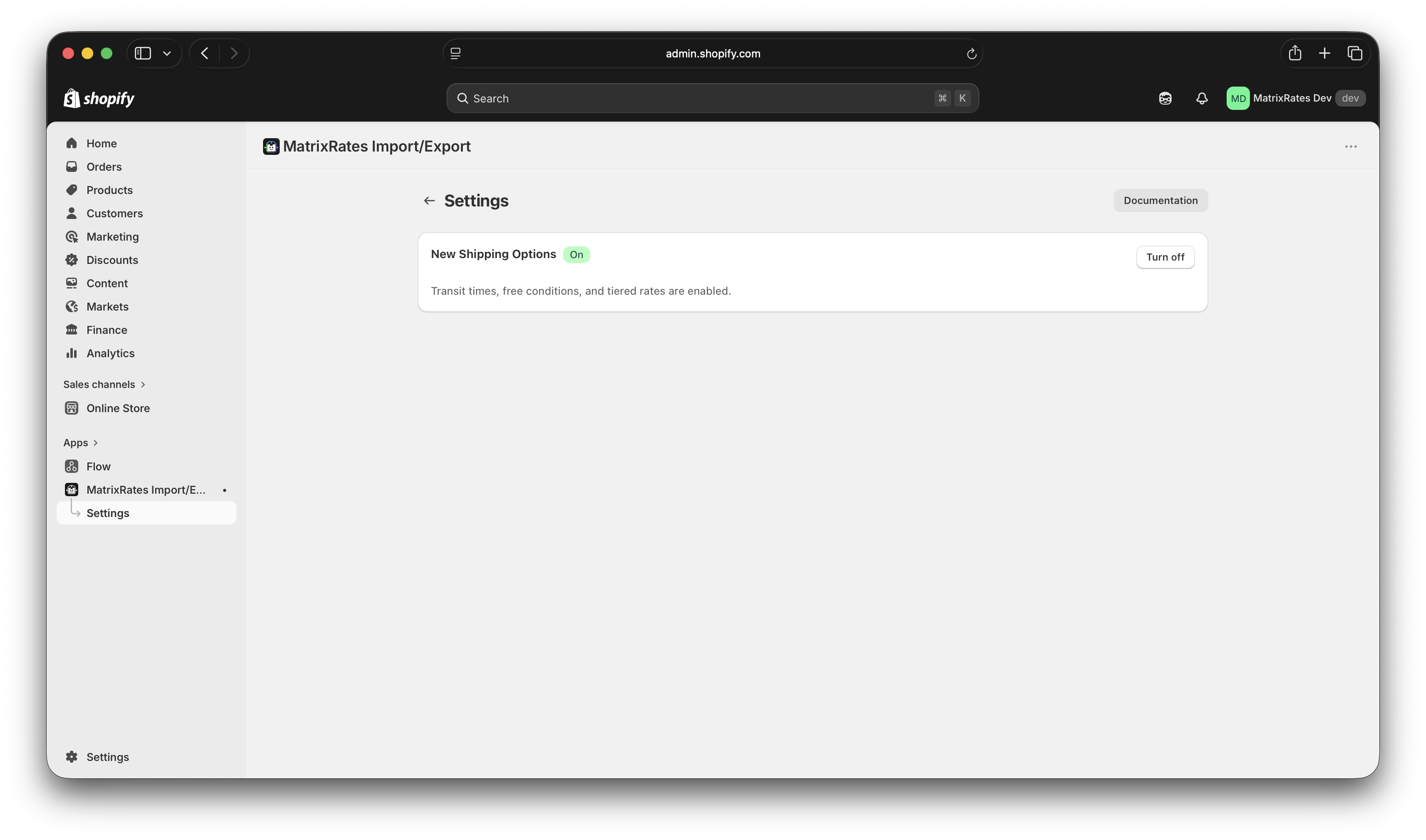 The toggle will switch to the on position. No further confirmation is required.
## What changes when enabled
Once New Shipping Options is on:
* The **example CSV** you can download from the app switches to the **16-column v1.2 format**, which includes the three new columns.
* **Exports** include `Transit Time Min Days`, `Transit Time Max Days`, and `Free Min Order Amount` columns.
* **Imports** read and apply those same columns. Rows with blank values in the new columns import without transit times or a free shipping threshold — exactly as before.
Rates you have already imported are not changed. The toggle only affects what happens on your next import or export.
## Disabling the toggle
You can turn New Shipping Options off at any time. When off, the app goes back to the 13-column v1.1 format for exports and imports. The new columns are ignored if present in an uploaded file.
This feature uses a part of Shopify's platform that is still in development. Shopify may update it without notice, which could temporarily affect how transit times and free shipping thresholds appear at checkout. If you notice unexpected behaviour after a Shopify update, contact us at [support@dojoapps.co.uk](mailto:support@dojoapps.co.uk).
## What to do next
Transit times, free shipping thresholds, and the updated column layout.
Group multiple rows into a single shipping option with price tiers.
The toggle will switch to the on position. No further confirmation is required.
## What changes when enabled
Once New Shipping Options is on:
* The **example CSV** you can download from the app switches to the **16-column v1.2 format**, which includes the three new columns.
* **Exports** include `Transit Time Min Days`, `Transit Time Max Days`, and `Free Min Order Amount` columns.
* **Imports** read and apply those same columns. Rows with blank values in the new columns import without transit times or a free shipping threshold — exactly as before.
Rates you have already imported are not changed. The toggle only affects what happens on your next import or export.
## Disabling the toggle
You can turn New Shipping Options off at any time. When off, the app goes back to the 13-column v1.1 format for exports and imports. The new columns are ignored if present in an uploaded file.
This feature uses a part of Shopify's platform that is still in development. Shopify may update it without notice, which could temporarily affect how transit times and free shipping thresholds appear at checkout. If you notice unexpected behaviour after a Shopify update, contact us at [support@dojoapps.co.uk](mailto:support@dojoapps.co.uk).
## What to do next
Transit times, free shipping thresholds, and the updated column layout.
Group multiple rows into a single shipping option with price tiers.